
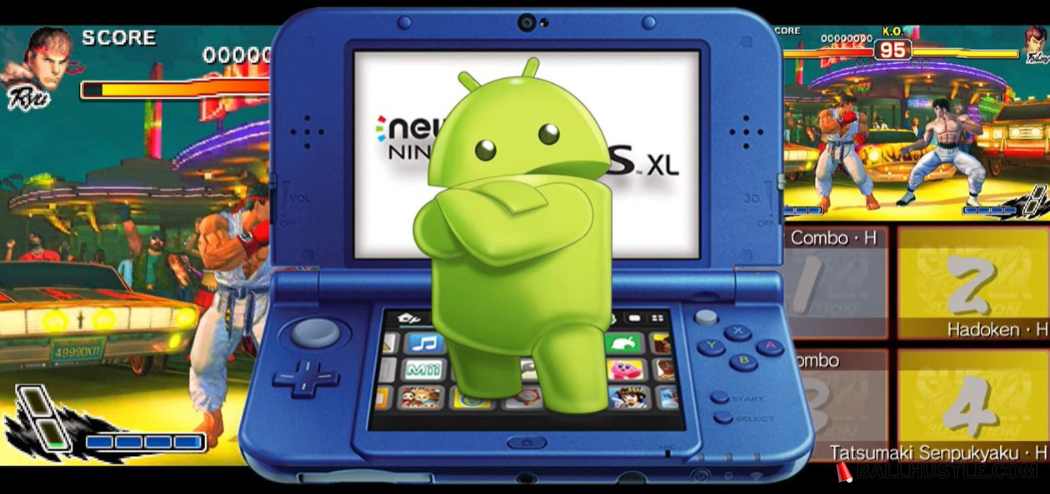
Nintendo 3DS is one of the most iconic handheld consoles, offering a variety of popular games with 3D effects. However, in today’s world of emulation, gamers can experience the 3DS library on their computers and smartphones. Emulators have made it easier for users to play 3DS games without owning the console. This article will explore the best Nintendo 3DS emulators of 2026, providing a detailed overview of their features, pros, and cons.
What is a Nintendo 3DS Emulator?
A Nintendo 3DS emulator is a software application that mimics the functionality of the Nintendo 3DS console. It allows you to play games made for the 3DS on a different platform, such as your PC or smartphone. With a 3DS emulator, you can enjoy high-quality graphics, faster loading times, and even features like save states or custom controls.
Emulators make it possible to experience 3DS games without needing the actual hardware. They often provide enhancements that improve the gameplay experience, such as HD resolution scaling or better performance.
Criteria for Choosing the Best 3DS Emulator
To find the best Nintendo 3DS emulator, we look at several important factors:
- Compatibility: The emulator should be able to run a wide range of 3DS games, including the popular ones.
- Performance: It should provide a smooth, lag-free experience, with high FPS (frames per second) and minimal crashes.
- Features: Look for emulators with enhanced features, like higher resolution, multiplayer support, and controller customization.
- User Interface: A clean, easy-to-navigate interface enhances the user experience.
- System Requirements: The emulator should be able to run on a variety of devices, without requiring top-tier hardware.
Also Read: Best GBA Emulators for PC: A Complete Guide to Playing GameBoy Advance Games on Your Computer
Top Nintendo 3DS Emulators of 2026
Here are some of the best 3DS emulators in 2026:
1. Citra
Citra is the most popular and widely used 3DS emulator. It offers excellent performance and support for a large number of 3DS games. Citra is compatible with both Windows and macOS and offers the following features:
- High-resolution scaling: Citra allows you to play games in 1080p or higher, even on lower-end systems.
- Multiplayer support: Citra supports online multiplayer, allowing you to play with friends.
- Customizable controls: You can map your keyboard or gamepad to suit your play style.
Pros:
- High game compatibility
- Regular updates
- Great performance on modern systems
Cons:
- Requires a strong PC for optimal performance
2. R4 3DS Emulator
The R4 3DS emulator is another great option, especially for those looking for a lightweight emulator that runs well on both PCs and smartphones. While it’s not as feature-rich as Citra, it provides a great gaming experience for many users.
Pros:
- Easy to set up
- Lightweight and runs on lower-end devices
Cons:
- Limited game support
- Lacks advanced features like multiplayer support
3. RetroArch
RetroArch is a multi-system emulator, meaning it can emulate not just 3DS games but also games from other consoles. With its built-in 3DS core, RetroArch offers a unique experience with the ability to play games from various platforms.
Pros:
- Supports multiple platforms and consoles
- Highly customizable
- Active community
Cons:
- The setup can be complex for beginners
- Lacks 3DS-specific features like touchscreen controls
4. 3DMOO
3DMOO is a lesser-known 3DS emulator that has gained a dedicated fan base due to its focus on performance and simplicity. While not as polished as Citra, it still offers decent performance for users who want to run 3DS games without too much hassle.
Pros:
- Simple interface
- Lightweight and runs on older hardware
Cons:
- Limited game compatibility
- Lacks advanced features
5. New 3DS Emulator (2026)
With 2026 bringing new advancements in emulation, some newer emulators may provide a more refined experience for users. These upcoming emulators promise to offer better optimization, including improved performance for smartphones and support for newer 3DS games.
Pros:
- Latest technology and optimizations
- Potential for better mobile support
Cons:
- Still in development with some bugs
- Limited compatibility with older games
How to Set Up a 3DS Emulator
Setting up a 3DS emulator is relatively easy. Here’s a step-by-step guide:
- Download the Emulator: Visit the official website of your chosen emulator (e.g., Citra or RetroArch) and download the installer for your operating system.
- Install the Emulator: Run the installer and follow the on-screen instructions.
- Get the Game Files: You will need a copy of the 3DS ROMs (game files). Ensure that you are downloading ROMs legally.
- Configure the Emulator: Set up your controller, adjust graphics settings, and tweak performance options.
- Start Playing: Load the game and start enjoying your 3DS games on your PC or smartphone.
Is It Legal to Use a 3DS Emulator?
Using a 3DS emulator itself is legal, as long as you own the games you are emulating. The legal gray area lies in downloading ROMs. Piracy, or downloading copyrighted ROMs from the internet without owning the original game, is illegal.
It’s always best to create your own ROMs from physical copies of the games you own to avoid legal issues.
Best Games to Play on a 3DS Emulator
Some of the most popular 3DS games to try on an emulator include:
- The Legend of Zelda: A Link Between Worlds
- Super Mario 3D Land
- Pokémon Sun and Moon
- Animal Crossing: New Leaf
- Fire Emblem: Awakening
These games provide an excellent experience on 3DS emulators, with enhanced graphics and performance.
By following these tips and using the right emulator, you can enjoy Nintendo 3DS games on your device in 2026 and beyond.
Also Read: Best PS2 Emulators – Play Classic Games on Modern Devices
FAQs
Is there a perfect emulator for every device?
No, the performance of emulators depends on your system’s hardware. Choose one that suits your device.
Can I use a 3DS emulator on my phone?
Yes, some emulators like RetroArch are compatible with Android and iOS devices.
How can I improve the performance of a 3DS emulator?
Try reducing the resolution settings and closing background applications for better performance.
Are 3DS emulators safe to use?
Yes, as long as you download from official sources and avoid pirated ROMs.
Conclusion
In 2026, the best Nintendo 3DS emulators offer a range of features, performance, and compatibility for players. Citra remains the top choice for its high compatibility and resolution scaling, while other emulators like RetroArch and R4 3DS provide unique benefits depending on your needs. Remember to always download games legally and enjoy the fantastic 3DS titles available through emulation!