
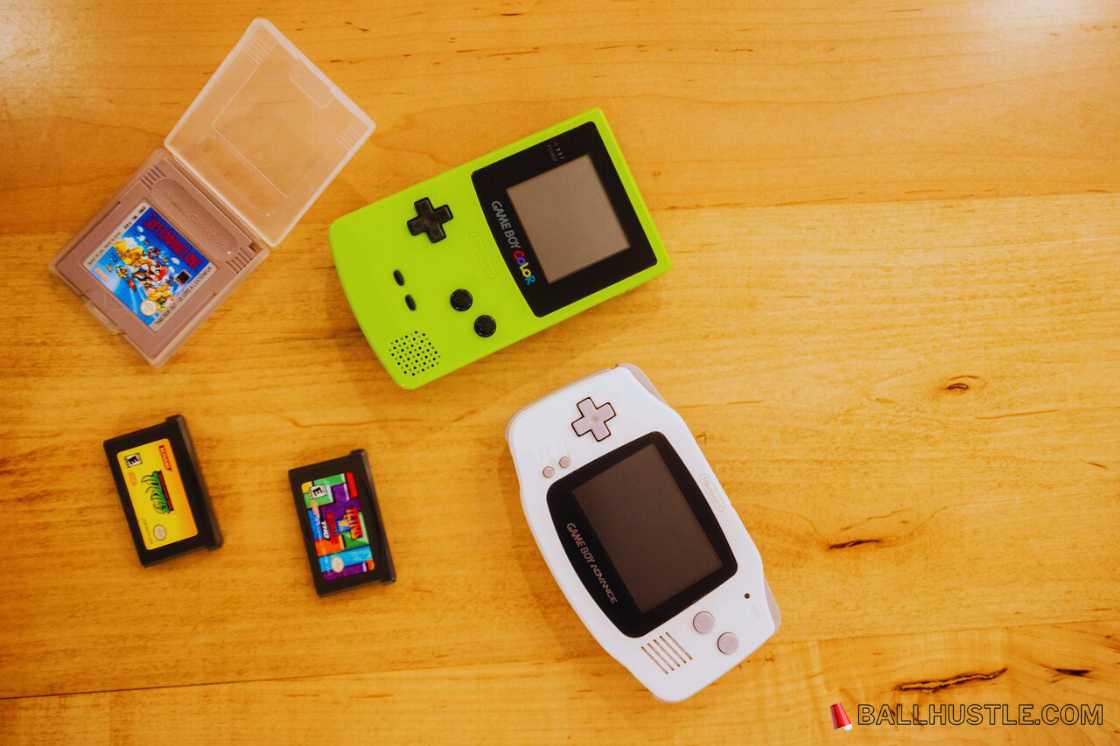
The Game Boy Advance (GBA) is a beloved handheld console that brought iconic games like Pokémon, Zelda, and Metroid to millions of players. Despite its age, the GBA remains one of the most cherished gaming systems. Whether you’re reminiscing about childhood memories or discovering these timeless classics for the first time, GBA emulators make it easier than ever to play on modern devices like your PC, Android, or iOS.
In this article, we’ll introduce you to the best GBA emulators of 2026, explaining their features, compatibility, and what makes them stand out in the world of retro gaming.
What Is a Game Boy Advance Emulator?
A GBA emulator is software that mimics the original Game Boy Advance hardware on another device, allowing you to play GBA games without the actual console. By using a GBA ROM file (the game data), emulators recreate the experience of playing GBA games, offering features like save states, controller support, and the ability to enhance graphics.
Emulators provide many advantages, such as:
- Playing GBA games on your PC, Android, or iOS device.
- Save and load your progress at any point with save states.
- Increased performance and faster gameplay options, like fast forward.
- Higher graphics and sound quality compared to the original system.
However, while emulators are legal to use, downloading game ROMs without owning the original game can infringe on copyright laws. Always make sure to check your local laws regarding ROM use.
Top GBA Emulators for PC (Windows, Mac, Linux)
1. mGBA
mGBA is one of the most popular and reliable GBA emulators for PC users. It provides accurate emulation, a smooth gameplay experience, and supports multiple operating systems, including Windows, Mac, and Linux.
- Key Features:
- Cross-platform support.
- Accurate emulation of the original GBA system.
- Save state support, cheat code functionality, and more.
- Pros:
- Great performance with minimal system requirements.
- Consistently updated and highly reliable.
- Cons:
- Interface can be a bit basic for new users.
2. VisualBoyAdvance (VBA‑M)
VisualBoyAdvance (VBA) is one of the oldest and most respected GBA emulators. Although it’s a bit dated, VBA‑M, its fork, still supports high compatibility and many GBA games.
- Key Features:
- Fast and stable emulation.
- Support for cheat codes and link cable emulation.
- Good performance for older systems.
- Pros:
- Highly compatible with most GBA games.
- Easy to use for beginners.
- Cons:
- Lacks some of the more modern features available in newer emulators.
3. RetroArch
If you want an all-in-one emulator, RetroArch is a fantastic choice. It’s a multi-system emulator that supports a variety of classic consoles, including the GBA.
- Key Features:
- Multi-system emulator supporting various consoles.
- Runs GBA games through mGBA core.
- Advanced features like shaders, controller remapping, and netplay.
- Pros:
- Great for users who want to emulate multiple systems in one place.
- Supports high-end features like video filters and netplay.
- Cons:
- Setup can be complicated for beginners.
4. No$GBA
A niche but highly functional emulator, No$GBA is known for its high compatibility and fast performance, even on low-end PCs.
- Key Features:
- Supports both GBA and DS games.
- High performance on older PCs.
- Pros:
- Lightweight and fast.
- Supports a wide range of games.
- Cons:
- The interface is a bit dated.
Best GBA Emulators for Android Devices
1. My Boy!
My Boy! is arguably the best GBA emulator for Android devices, offering excellent compatibility and high performance.
- Key Features:
- High-speed emulation with little lag.
- Support for save states, cheat codes, and wireless controller support.
- Pros:
- Smooth performance even on lower-end devices.
- Great user interface and control options.
- Cons:
- Premium version has more features (e.g., no ads, faster performance).
2. Pizza Boy
A newer but reliable emulator, Pizza Boy offers a clean interface and strong performance, making it a top choice for Android users.
- Key Features:
- Smooth performance with minimal lag.
- Support for cheat codes and save states.
- Pros:
- Lightweight and intuitive user interface.
- Excellent performance on a variety of devices.
- Cons:
- Some features require the paid version.
3. GBA.emu
Another popular option for Android, GBA.emu offers a rich set of features, including support for external controllers and multiple game formats.
- Key Features:
- Support for GBA ROMs and external controllers.
- Save state functionality.
- Pros:
- High compatibility with a wide range of GBA games.
- No ads in the paid version.
- Cons:
- User interface is not as polished as some alternatives.
Best GBA Emulators for iOS Devices
1. Delta Emulator
For iOS users, Delta is one of the best emulators, supporting multiple systems, including the Game Boy Advance.
- Key Features:
- Multi-system support (GBA, NES, SNES, etc.).
- Excellent save state and cheat code support.
- Pros:
- Great compatibility with iPhone and iPad.
- Regular updates.
- Cons:
- Requires sideloading via AltStore, which may be tricky for new users.
2. GBA4iOS
Once one of the best-known iOS emulators, GBA4iOS is still a solid option for iPhone users, though it may require third-party apps to install.
- Key Features:
- Supports save states and controller support.
- Ability to play ROMs directly from the browser.
- Pros:
- Easy-to-use interface.
- Wide compatibility with games.
- Cons:
- Requires AltStore or Cydia to install.
How to Choose the Right GBA Emulator for You
Choosing the best GBA emulator depends on your needs:
- Performance: Go for mGBA or My Boy! if you want smooth gameplay with minimal lag.
- Multi-system Support: RetroArch offers the best all-in-one experience.
- User-Friendliness: VBA-M and My Boy! are great for beginners.
FAQs
Are GBA emulators legal?
Emulators are legal, but downloading ROMs without owning the original game may not be.
Can I use a controller with a GBA emulator?
Yes, most emulators support Bluetooth controllers for better gameplay.
Can I play multiplayer with a GBA emulator?
Some emulators, like RetroArch, support online multiplayer.
Conclusion
Whether you’re using a PC, Android, or iOS device, there are plenty of GBA emulators to choose from. Each emulator offers unique features to enhance your experience, whether it’s saving your progress, improving graphics, or using controllers for better control. Try out different options and pick the one that best fits your gaming preferences.