
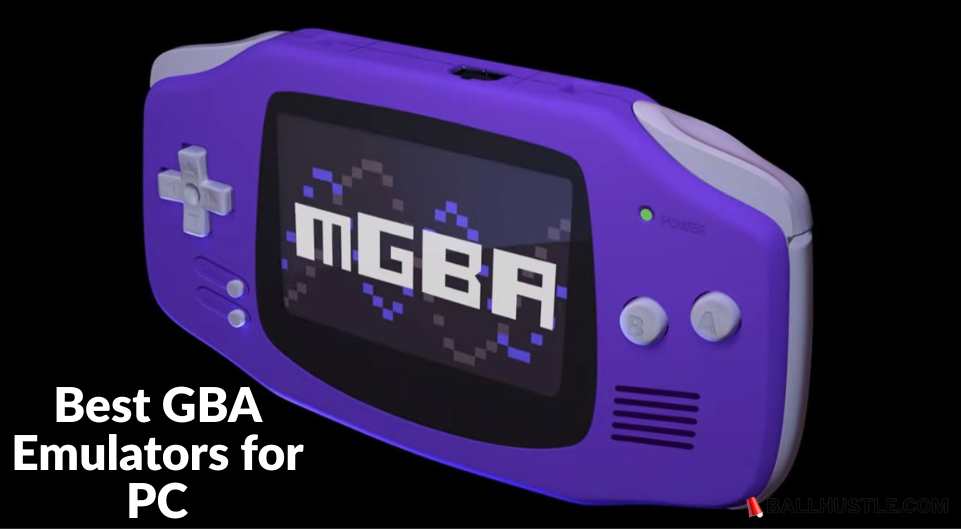
If you’re a fan of retro gaming, chances are you’ve played or heard about the GameBoy Advance (GBA), one of the most beloved handheld consoles of all time. The good news is that you don’t need to dig up an old GBA device to enjoy its vast library of games. With the help of GBA emulators, you can easily play your favorite GameBoy Advance titles on your PC.
In this article, we’ll take a closer look at the best GBA emulators for PC, their features, and how to get them up and running.
What to Look for in a GBA Emulator for PC
When choosing a GBA emulator for PC, there are a few essential factors to consider to ensure a smooth and enjoyable gaming experience:
- Compatibility: Ensure the emulator works on your PC’s operating system (Windows, Mac, or Linux).
- Performance: The emulator should run smoothly with minimal lag or crashes.
- Controller Support: Look for emulators that support game controllers, especially if you’re used to playing on consoles.
- Save States: This feature lets you save your progress at any point in the game and load it later.
- Graphics & Speed: Good emulators offer enhanced graphics and the ability to adjust the speed of gameplay.
- Ease of Use: A user-friendly interface is always a plus.
Top GBA Emulators for PC
Here are the top GBA emulators for PC that cater to different needs and preferences:
1. VisualBoyAdvance-M (VBA-M)
VisualBoyAdvance-M (VBA-M) is widely regarded as one of the most popular and reliable GBA emulators available today.
- Key Features:
- High compatibility with GBA games.
- Save states, fast-forwarding, and cheat support.
- Customizable controls for gamepads.
- Pros: Free, stable, and easy to use.
- Cons: Lacks some modern features like online play.
- Best for: Users looking for an all-around dependable emulator.
2. mGBA
mGBA is another fantastic GBA emulator known for its modern features and high accuracy in game emulation.
- Key Features:
- Lightweight and runs on most PCs without issues.
- Active development with regular updates.
- Full controller support, and cheat code functionality.
- Pros: Modern, fast, and low on system resources.
- Cons: Lacks some advanced configuration options.
- Best for: Gamers looking for a modern emulator that doesn’t take up too much space.
3. NO$GBA
NO$GBA is known for its fast performance and low resource usage, making it ideal for older PCs.
- Key Features:
- Plays GBA games as well as Nintendo DS titles.
- Fast emulation speed and good compatibility.
- Pros: Very efficient, suitable for lower-end PCs.
- Cons: Some games may require additional configuration.
- Best for: Those with older PCs or who want a lightweight emulator.
4. RetroArch with GBA Core
RetroArch is a versatile emulator that supports a wide range of gaming consoles, including GBA. It’s an all-in-one platform for retro gaming lovers.
- Key Features:
- Multiple cores for different gaming systems (including GBA).
- Enhanced graphics, shaders, and netplay support.
- Pros: Highly customizable and supports many other consoles.
- Cons: A bit more complex to set up.
- Best for: Users who want an all-in-one retro gaming solution and don’t mind complex setups.
5. Boycott Advance
Boycott Advance is a simple, open-source GBA emulator that’s easy to use, especially for beginners.
- Key Features:
- User-friendly interface.
- Supports basic features like save states and gamepad support.
- Pros: Simple, open-source, and easy to use.
- Cons: Lacks some advanced features like graphical enhancements.
- Best for: New users or those looking for a straightforward emulator.
Also Read: Best PS2 Emulators – Play Classic Games on Modern Devices
How to Download and Install a GBA Emulator on PC
Setting up a GBA emulator on your PC is easy! Here’s a simple guide to get started:
- Download the Emulator: Visit the official website of the emulator you’ve chosen. Always make sure to download from trusted sources to avoid malware.
- Install the Emulator: Run the installation file and follow the on-screen instructions.
- Download ROMs: You’ll need ROM files (game copies) to play GBA games. Remember, you should only download ROMs for games that you legally own.
- Configure Settings: Once the emulator is installed, configure your control settings, graphics, and sound options.
- Start Playing: Load a ROM file and start enjoying your GBA games on PC!
Best Settings for Optimized Performance
To get the best performance out of your emulator, adjust the following settings:
- Graphics: Enable enhancements like scaling or high-quality rendering to improve the visual experience.
- Audio: Adjust sound settings for clarity and low latency.
- Controller: Set up your controller or configure keyboard controls.
- Fullscreen Mode: Set your emulator to fullscreen for an immersive experience.
Legal and Safety Considerations
- Are GBA Emulators Legal?
Yes, using GBA emulators is legal. However, downloading ROMs without owning the original game is illegal in most jurisdictions. - How to Stay Safe
Always download emulators and ROMs from trusted sources to avoid potential malware or viruses.
FAQs (Frequently Asked Questions)
What is the best GBA emulator for PC?
The best GBA emulator depends on your preferences. VBA-M is great for most users, but if you want something modern, mGBA is a solid choice.
Can I use a controller with a GBA emulator?
Yes, most GBA emulators support game controllers. You can usually map the controller buttons to in-game controls.
Can I play GBA games online with emulators?
Some emulators like RetroArch support netplay, allowing you to play with others over the internet.
Why won’t my games load?
Ensure your ROM files are not corrupted and are compatible with the emulator. Also, check the emulator’s settings to ensure it’s configured correctly.
Also Read: Best Sega Master System Emulators: A Comprehensive Guide
Conclusion
If you’re eager to relive the magic of GBA games on your PC, any of the emulators listed above will provide a fantastic experience. Whether you prefer a simple emulator like Boycott Advance or a more feature-packed option like RetroArch, there’s something for everyone. Make sure to configure your settings for the best performance, and always stay within legal boundaries when downloading ROMs.